

See your brand in buyer answers
Track the questions buyers ask when they compare products, look for alternatives or choose a service. SearchSeal saves each answer so you can see whether your brand is named, its position and the rivals that appear beside it. Each response keeps the question, model and date together. Open the answer to read the wording behind a visibility number for context.
Source links returned with the answer give you another way to inspect the result. Follow links to your pages, rival sites, reviews and guides. Look for the questions where your brand appears regularly and the ones where another company takes the lead. This gives you a concrete list of answers to review, with the original response and returned source URLs close at hand.
Choose assistants and a comparison set
SearchSeal currently monitors AI Overview, ChatGPT, Gemini and Perplexity. The pricing page lists the assistants available in each plan, along with the questions and sites you can track. Choose coverage around the buyer decisions you want to understand. A useful question set covers your category, common alternatives and the jobs customers want to get done. Return to these questions as your pages change.
Use the free site check to get started. Enter your website and review the suggested company, category and possible competitors drawn from public site information. Keep relevant rivals and replace suggestions that miss your market. Then choose questions to track in a plan and start collecting answers. Those saved responses become your first reference point for comparing your brand with the companies buyers consider.
Choose fixes with search demand
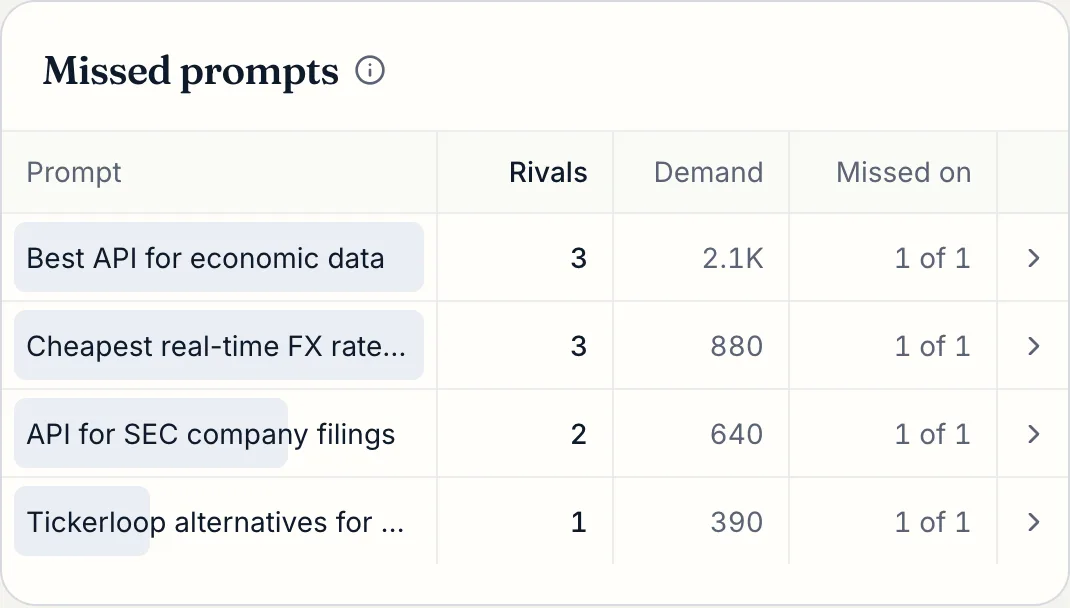
Get a ranked list of page fixes with the answer evidence behind them. SearchSeal connects a suggested change to the question, response and page that prompted it. Review the missing fact or unclear explanation, then decide what to publish. You might clarify a specification or write a page answering a comparison question. Each task gives you something concrete to work on.
Connect Google Search Console or Bing Webmaster to bring search demand and clicks into that decision. Both connections are optional and read-only. Their page data helps rank work around the searches that already bring people to your site. Read the query and page alongside the saved answer, then choose the change that addresses both. You keep control of the facts, wording and publication of every edit.
Compare changes and understand the limits
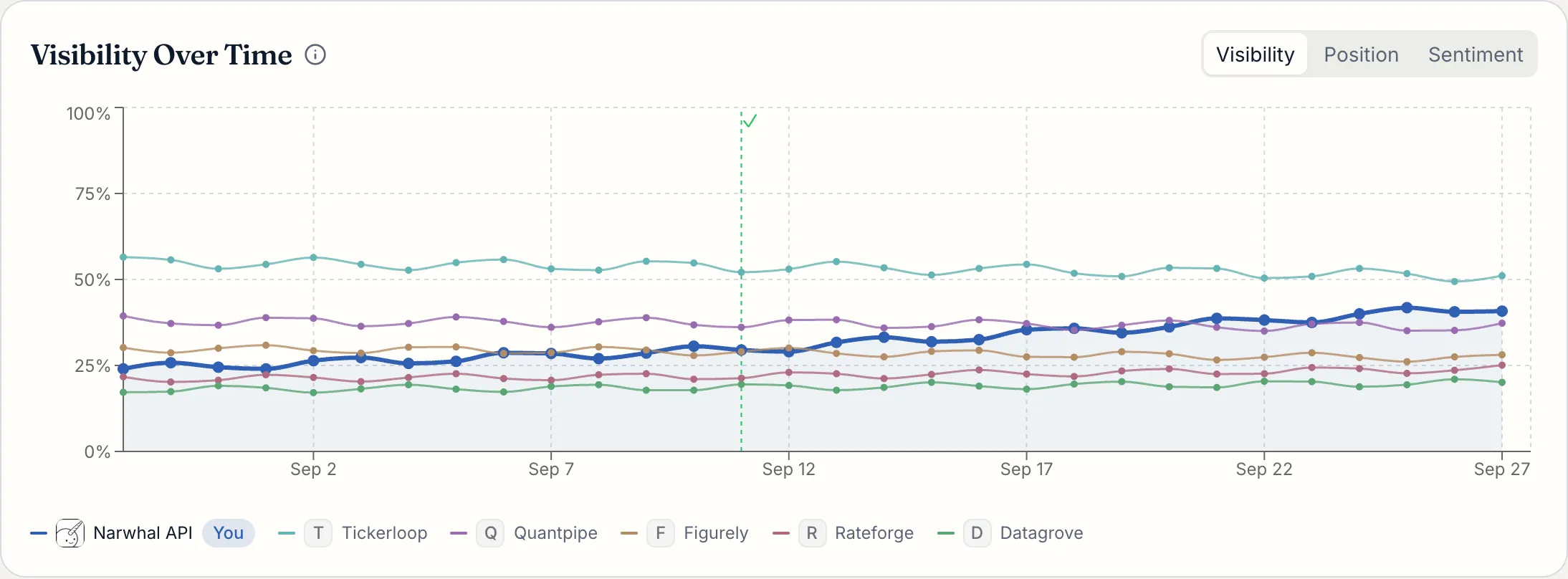
Mark a fix done to compare answers from before and after the change. SearchSeal shows the dates and samples behind the comparison. Review how often your brand appears and read the responses to see what changed in their wording. Use that record to decide whether to keep watching the question, review another page or investigate a rival that keeps appearing. Keep the tracked questions consistent so each comparison addresses the same buyer decision.
Dated answers come from the apps people use, with API fallback when an app answer cannot be collected. Samples vary by run, location and account; they are not rankings, and small samples may leave a comparison inconclusive. A before-and-after difference does not prove your fix caused it. Search data follows its own dates and can lag behind answers. Read these observations together as evidence for your next decision, rather than a guarantee of recommendations, visits or sales.